




Close Menu
West TimelinesWest Timelines
  • News
  • Politics
  • World
    • Africa
    • Asia
    • Australia
    • Europe
      • United Kingdom
      • Germany
      • France
      • Italy
      • Russia
      • Spain
      • Turkey
      • Ukraine
    • North America
      • United States
      • Canada
    • South America
  • Business
    • Finance
    • Markets
    • Investing
    • Small Business
    • Crypto
  • Elections
  • Entertainment
  • Health
  • Lifestyle
    • Fashion
    • Food & Drink
    • Travel
    • Astrology
  • Weird News
  • Science
  • Sports
    • Soccer
  • Technology
  • Viral Trends
Trending Now

RING LAUNCHES NEW AI-POWERED SMART VIDEO SEARCH IN THE UAE

3 weeks ago

Dubai Spotlight: Analyzing the Evolving Audience Tastes with AI Social Listening Tools in the UAE

2 months ago

مرآة التاريخ: تحليل البناء السردي للدروس الخالدة في قصص الأنبياء والإسلام

2 months ago

السندات الحكومية والشركات: أساسيات الاستثمار الآمن والدخل الثابت

2 months ago

UAE Ranks Among Top Rugby Markets on TOD as British & Irish Lions Tour Kicks Off

7 months ago
Facebook X (Twitter) Instagram
West TimelinesWest Timelines
  • News
  • US
  • #Elections
  • World
    • North America
      • United States
      • Canada
    • Europe
      • United Kingdom
      • Germany
      • France
      • Italy
      • Spain
      • Ukraine
      • Russia
      • Turkey
    • Asia
    • Australia
    • Africa
    • South America
  • Politics
  • Business
    • Finance
    • Investing
    • Markets
    • Small Business
    • Crypto
  • Lifestyle
    • Astrology
    • Fashion
    • Food & Drink
    • Travel
  • Health
  • Sports
    • Soccer
  • More
    • Entertainment
    • Technology
    • Science
    • Viral Trends
    • Weird News
Subscribe
  • Israel War
  • Ukraine War
  • United Kingdom
  • Canada
  • Germany
  • France
  • Italy
  • Russia
  • Spain
  • Turkey
  • Ukraine
West TimelinesWest Timelines
Home»Technology
Technology

What is the Reason My Phone is Showing ‘No SIM’ Error?

May 5, 2024No Comments2 Mins Read
Facebook Twitter Pinterest LinkedIn Telegram Email WhatsApp Copy Link

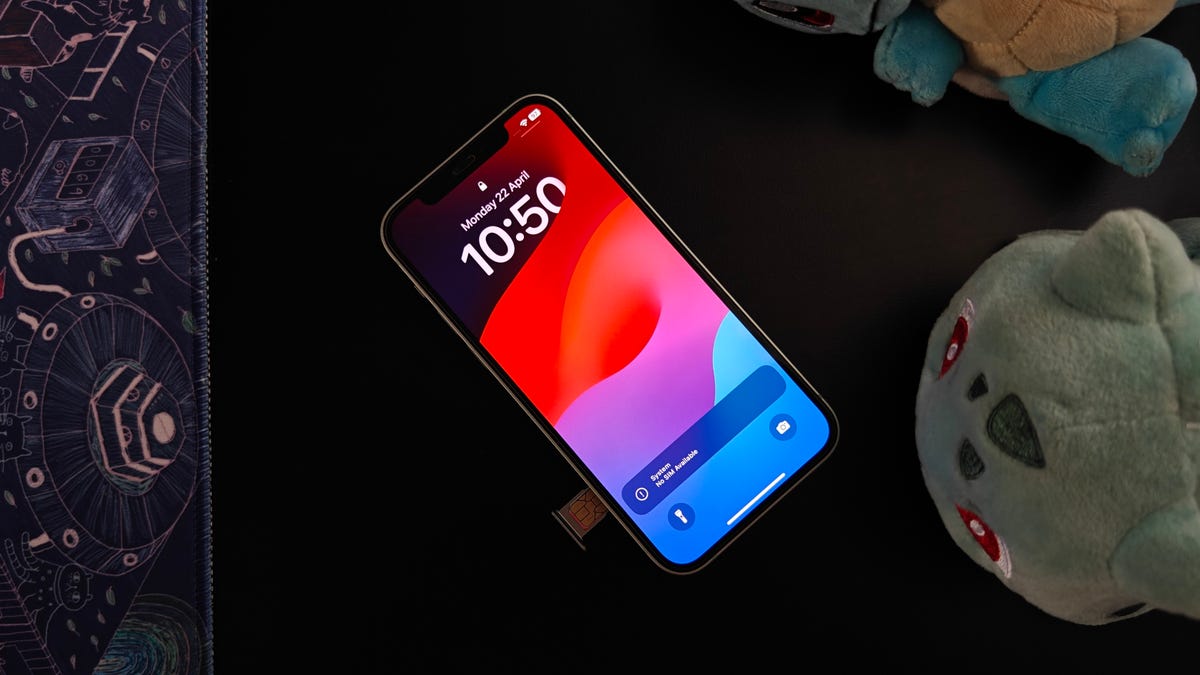
Cell phones have changed significantly in recent decades, but they still require a SIM card to function. Some phones now use eSIMs, but many still use physical SIM cards. If your phone displays a “no SIM” message, you may not be able to use cellular features like making calls, sending SMS messages, or using data. This can be frustrating, and it’s important to understand why your phone is showing this error and how to fix it.

There are several reasons why your phone may display a “No SIM” message. It could be due to a missing, incorrectly installed, or damaged SIM card. If you have tried to set up an eSIM and see this error, it may be due to a failed installation. Other reasons for the error include temporary glitches in your phone’s software, hardware issues with your SIM card slot or phone, configuration issues with your SIM card or network settings, pending software updates, or issues with your carrier or cellular account.

The error message you see will vary depending on your phone model, but common messages include “No SIM,” “No SIM Card Installed,” “No SIM available,” or “Invalid SIM” on an iPhone, and similar messages on Android phones. Some quick fixes you can try include checking if your SIM is linked to an active plan, restarting your device, updating network provider settings, and ejecting and reinserting the SIM card. If these steps don’t work, you may need to contact your phone’s manufacturer or a professional repair service for help.

If you use an eSIM and encounter the “No SIM” error, it’s best to contact your service provider for assistance. If you suspect a hardware issue with your phone, you may need to get it repaired or replaced. Keep in mind that repairs can be costly unless your device is under warranty and the issue wasn’t caused by physical damage. If you’re frequently experiencing issues with your carrier or phone, you may want to consider switching carriers or getting a new phone.

Overall, if your phone is displaying a “No SIM” error, there are steps you can take to troubleshoot and resolve the issue. From checking your SIM card connection to contacting your carrier for assistance, it’s important to identify the root cause of the problem and determine the best solution to get your phone functioning properly again.


Follow on Google News Follow on Flipboard
Share. Facebook Twitter Pinterest Email Telegram WhatsApp Copy Link

You Might Like

Dubai Spotlight: Analyzing the Evolving Audience Tastes with AI Social Listening Tools in the UAE

Darven: A New Leap in AI-Powered Legal Technology Launching from the UAE to the World

Array

Array

Array

Array

Editors Picks

Dubai Spotlight: Analyzing the Evolving Audience Tastes with AI Social Listening Tools in the UAE

2 months ago

مرآة التاريخ: تحليل البناء السردي للدروس الخالدة في قصص الأنبياء والإسلام

2 months ago

السندات الحكومية والشركات: أساسيات الاستثمار الآمن والدخل الثابت

2 months ago

UAE Ranks Among Top Rugby Markets on TOD as British & Irish Lions Tour Kicks Off

7 months ago

Darven: A New Leap in AI-Powered Legal Technology Launching from the UAE to the World

7 months ago

Latest News

Jordan to Host Iraq in the Final Round of the Asian World Cup Qualifiers After Securing Historic Spot

7 months ago

فلسطين: قلبٌ ينبض بالصمود والأمل

8 months ago

Roland Garros 2025: A New Era of Viewing, A Tribute to Legends, and Moments to Remember

8 months ago
Advertisement
Facebook X (Twitter) TikTok Instagram Threads
© 2026 West Timelines. All Rights Reserved. Developed By: Sawah Solutions
  • Privacy Policy
  • Terms
  • Contact

Type above and press Enter to search. Press Esc to cancel.