




Close Menu
West TimelinesWest Timelines
  • News
  • Politics
  • World
    • Africa
    • Asia
    • Australia
    • Europe
      • United Kingdom
      • Germany
      • France
      • Italy
      • Russia
      • Spain
      • Turkey
      • Ukraine
    • North America
      • United States
      • Canada
    • South America
  • Business
    • Finance
    • Markets
    • Investing
    • Small Business
    • Crypto
  • Elections
  • Entertainment
  • Health
  • Lifestyle
    • Fashion
    • Food & Drink
    • Travel
    • Astrology
  • Weird News
  • Science
  • Sports
    • Soccer
  • Technology
  • Viral Trends
Trending Now

Dubai Spotlight: Analyzing the Evolving Audience Tastes with AI Social Listening Tools in the UAE

4 weeks ago

مرآة التاريخ: تحليل البناء السردي للدروس الخالدة في قصص الأنبياء والإسلام

4 weeks ago

السندات الحكومية والشركات: أساسيات الاستثمار الآمن والدخل الثابت

1 month ago

UAE Ranks Among Top Rugby Markets on TOD as British & Irish Lions Tour Kicks Off

5 months ago

Darven: A New Leap in AI-Powered Legal Technology Launching from the UAE to the World

6 months ago
Facebook X (Twitter) Instagram
West TimelinesWest Timelines
  • News
  • US
  • #Elections
  • World
    • North America
      • United States
      • Canada
    • Europe
      • United Kingdom
      • Germany
      • France
      • Italy
      • Spain
      • Ukraine
      • Russia
      • Turkey
    • Asia
    • Australia
    • Africa
    • South America
  • Politics
  • Business
    • Finance
    • Investing
    • Markets
    • Small Business
    • Crypto
  • Lifestyle
    • Astrology
    • Fashion
    • Food & Drink
    • Travel
  • Health
  • Sports
    • Soccer
  • More
    • Entertainment
    • Technology
    • Science
    • Viral Trends
    • Weird News
Subscribe
  • Israel War
  • Ukraine War
  • United Kingdom
  • Canada
  • Germany
  • France
  • Italy
  • Russia
  • Spain
  • Turkey
  • Ukraine
West TimelinesWest Timelines
Home»Technology
Technology

Running out of Storage on Your PC? Windows 11 Can Automatically Clean Up Your Drive

April 13, 2024No Comments2 Mins Read
Facebook Twitter Pinterest LinkedIn Telegram Email WhatsApp Copy Link

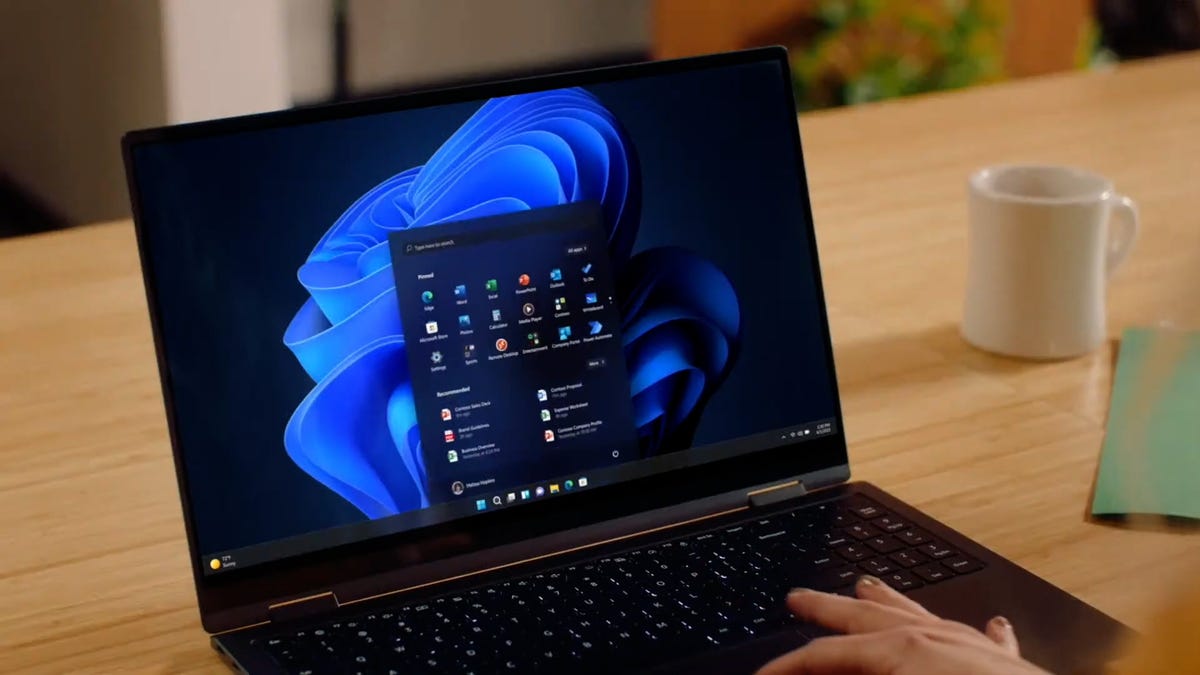
If you’re using an older Windows computer and finding yourself running low on disk space, you may be experiencing slow performance and frequent app crashes. Windows 11 offers a solution to this problem by allowing you to easily delete unnecessary files and free up space on your computer. With a few simple settings, you can configure the operating system to delete temporary, system files, and old downloads that you no longer need. Windows 11 also helps you identify which files you can safely remove without risking the deletion of important data, ultimately improving your PC’s performance.

While not everyone requires an expensive SSD for storage, additional storage space can be acquired affordably with options like Seagate’s 1TB external hard drive. This external hard drive is a budget-friendly solution for those looking to transfer over photos and videos to free up space on their Windows computer. By exploring such options, users can efficiently manage their storage needs without breaking the bank.

For those seeking a more automated approach to free up storage space on Windows 11, the operating system offers a feature called Storage Sense. By navigating to Settings and selecting Storage, users can enable Storage Sense, which automatically frees up space by deleting temporary files, emptying the Recycle Bin, and removing old downloads in the background. Users can configure how often Storage Sense runs and determine which files to delete to ensure that essential data is preserved.

To activate Storage Sense on Windows 11, users can toggle the feature on and customize settings such as the frequency of cleanup operations, the retention period for files in the Recycle Bin, and the criteria for removing files in the Downloads folder. By setting these preferences, users can tailor the cleanup process to their specific needs and avoid accidental deletion of important files. Additionally, the Cleanup recommendations feature scans the system and suggests files that can be manually deleted to further optimize disk space.

For those interested in learning more about Windows 11 and its features, there are resources available to explore the key differences between Windows 10 and Windows 11. By familiarizing themselves with the best features of Windows 11 and understanding how to maximize the operating system’s capabilities, users can enhance their computing experience. Whether it’s optimizing storage space, managing app usage, or extending battery life, Windows 11 offers a range of tools and settings to improve efficiency and performance.


Follow on Google News Follow on Flipboard
Share. Facebook Twitter Pinterest Email Telegram WhatsApp Copy Link

You Might Like

Dubai Spotlight: Analyzing the Evolving Audience Tastes with AI Social Listening Tools in the UAE

Darven: A New Leap in AI-Powered Legal Technology Launching from the UAE to the World

Array

Array

Array

Array

Editors Picks

مرآة التاريخ: تحليل البناء السردي للدروس الخالدة في قصص الأنبياء والإسلام

4 weeks ago

السندات الحكومية والشركات: أساسيات الاستثمار الآمن والدخل الثابت

1 month ago

UAE Ranks Among Top Rugby Markets on TOD as British & Irish Lions Tour Kicks Off

5 months ago

Darven: A New Leap in AI-Powered Legal Technology Launching from the UAE to the World

6 months ago

Jordan to Host Iraq in the Final Round of the Asian World Cup Qualifiers After Securing Historic Spot

6 months ago

Latest News

فلسطين: قلبٌ ينبض بالصمود والأمل

7 months ago

Roland Garros 2025: A New Era of Viewing, A Tribute to Legends, and Moments to Remember

7 months ago

Array

7 months ago
Advertisement
Facebook X (Twitter) TikTok Instagram Threads
© 2025 West Timelines. All Rights Reserved. Developed By: Sawah Solutions
  • Privacy Policy
  • Terms
  • Contact

Type above and press Enter to search. Press Esc to cancel.