







Close Menu
West TimelinesWest Timelines
  • News
  • Politics
  • World
    • Africa
    • Asia
    • Australia
    • Europe
      • United Kingdom
      • Germany
      • France
      • Italy
      • Russia
      • Spain
      • Turkey
      • Ukraine
    • North America
      • United States
      • Canada
    • South America
  • Business
    • Finance
    • Markets
    • Investing
    • Small Business
    • Crypto
  • Elections
  • Entertainment
  • Health
  • Lifestyle
    • Fashion
    • Food & Drink
    • Travel
    • Astrology
  • Weird News
  • Science
  • Sports
    • Soccer
  • Technology
  • Viral Trends
Trending Now

Dubai Spotlight: Analyzing the Evolving Audience Tastes with AI Social Listening Tools in the UAE

4 weeks ago

مرآة التاريخ: تحليل البناء السردي للدروس الخالدة في قصص الأنبياء والإسلام

4 weeks ago

السندات الحكومية والشركات: أساسيات الاستثمار الآمن والدخل الثابت

1 month ago

UAE Ranks Among Top Rugby Markets on TOD as British & Irish Lions Tour Kicks Off

5 months ago

Darven: A New Leap in AI-Powered Legal Technology Launching from the UAE to the World

6 months ago
Facebook X (Twitter) Instagram
West TimelinesWest Timelines
  • News
  • US
  • #Elections
  • World
    • North America
      • United States
      • Canada
    • Europe
      • United Kingdom
      • Germany
      • France
      • Italy
      • Spain
      • Ukraine
      • Russia
      • Turkey
    • Asia
    • Australia
    • Africa
    • South America
  • Politics
  • Business
    • Finance
    • Investing
    • Markets
    • Small Business
    • Crypto
  • Lifestyle
    • Astrology
    • Fashion
    • Food & Drink
    • Travel
  • Health
  • Sports
    • Soccer
  • More
    • Entertainment
    • Technology
    • Science
    • Viral Trends
    • Weird News
Subscribe
  • Israel War
  • Ukraine War
  • United Kingdom
  • Canada
  • Germany
  • France
  • Italy
  • Russia
  • Spain
  • Turkey
  • Ukraine
West TimelinesWest Timelines
Home»Technology
Technology

Private Streaming: How to Set Up a VPN on Your Smart TV Like a Pro

September 7, 2024No Comments3 Mins Read
Facebook Twitter Pinterest LinkedIn Telegram Email WhatsApp Copy Link

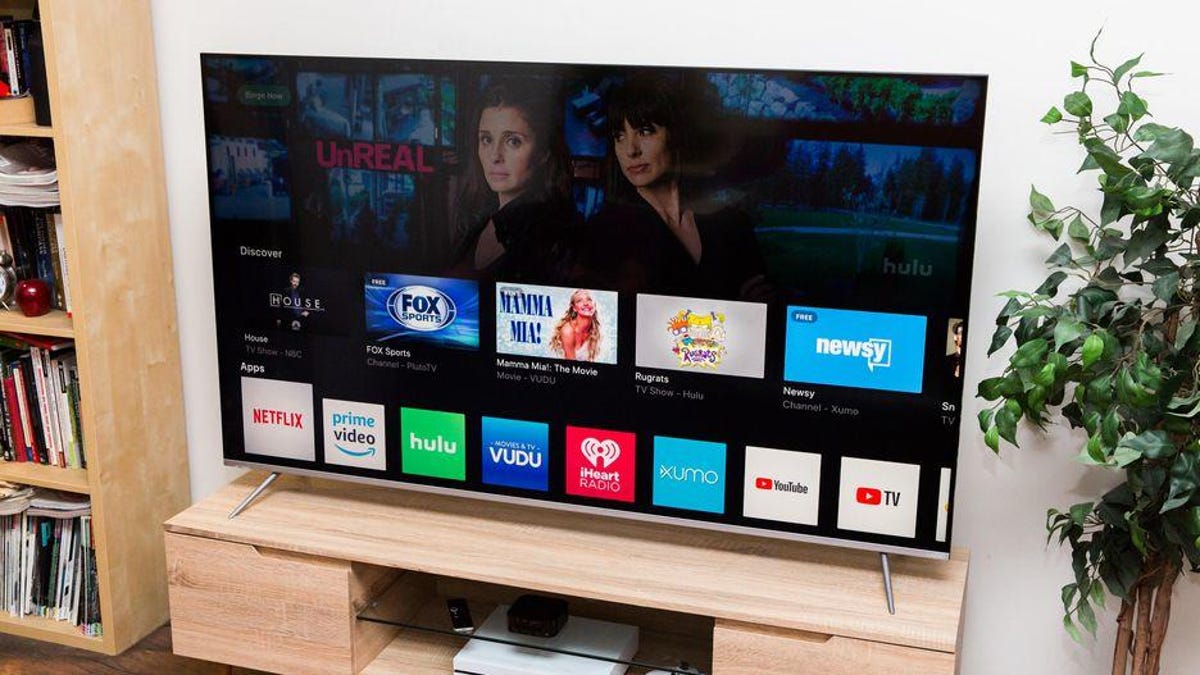
Using a VPN on your smart TV can help prevent buffering, keep your streaming activity private, and access content not available in your region. Setting up a VPN on your smart TV is straightforward, even if your TV is not compatible out of the box. There are various ways to set up a VPN depending on your preferences, technical knowledge, budget, and available equipment. By using a VPN on your smart TV, you can unblock regionally locked content and prevent your ISP from monitoring your viewing habits.

The amount of streaming content available today is vast, but some content is regionally locked. By using a VPN on your smart TV, you can spoof your location and access content that may not be available in your country. For example, if you’re in the UK and want to watch US-only programming, connecting to a US server through a VPN will make streaming services believe you are in the US, providing access to American content. It is important to check with your streaming service to ensure using a VPN does not violate its terms of service.

When you connect to a VPN on your smart TV, all your internet traffic is encrypted and routed through a remote server, hiding your activity from entities that may want to monitor it, such as your ISP. Setting up a VPN on a smart TV involves downloading a VPN app compatible with your TV’s operating system, such as Amazon Fire TV or Google’s Android TV. Alternatively, you can set up a VPN on your router to share the connection with your smart TV. Despite the potential complexities of router installation, VPN providers offer step-by-step instructions and support.

If you have an Amazon Fire TV or a smart TV running on Google’s Android operating system, you can download a VPN app directly to your TV from the app store. By connecting to a VPN server through your TV, you can unblock content and protect your viewing privacy. If your TV does not support VPN apps natively, you can run a VPN connection through a VPN-compatible router. Alternatively, you can connect your TV to a computer with a VPN connection established to share the VPN connection.

If you do not have a smart TV, you can use streaming devices like Roku, Amazon Firestick, or Google Chromecast to connect to a VPN. These devices essentially turn any TV into a smart TV and allow you to download VPN apps directly to them. When setting up a VPN on your smart TV, ensure the VPN provides fast speeds, has servers where you want to unblock content, and supports your TV’s operating system. VPNs like ExpressVPN, NordVPN, and Surfshark are recommended for unblocking content and ensuring privacy on smart TVs.


Follow on Google News Follow on Flipboard
Share. Facebook Twitter Pinterest Email Telegram WhatsApp Copy Link

You Might Like

Dubai Spotlight: Analyzing the Evolving Audience Tastes with AI Social Listening Tools in the UAE

Darven: A New Leap in AI-Powered Legal Technology Launching from the UAE to the World

Array

Array

Array

Array

Editors Picks

مرآة التاريخ: تحليل البناء السردي للدروس الخالدة في قصص الأنبياء والإسلام

4 weeks ago

السندات الحكومية والشركات: أساسيات الاستثمار الآمن والدخل الثابت

1 month ago

UAE Ranks Among Top Rugby Markets on TOD as British & Irish Lions Tour Kicks Off

5 months ago

Darven: A New Leap in AI-Powered Legal Technology Launching from the UAE to the World

6 months ago

Jordan to Host Iraq in the Final Round of the Asian World Cup Qualifiers After Securing Historic Spot

6 months ago

Latest News

فلسطين: قلبٌ ينبض بالصمود والأمل

7 months ago

Roland Garros 2025: A New Era of Viewing, A Tribute to Legends, and Moments to Remember

7 months ago

Array

7 months ago
Advertisement
Facebook X (Twitter) TikTok Instagram Threads
© 2025 West Timelines. All Rights Reserved. Developed By: Sawah Solutions
  • Privacy Policy
  • Terms
  • Contact

Type above and press Enter to search. Press Esc to cancel.



